How CBT (Computer-Based Tests) Work in Nigerian Government Recruitment | Full Walkthrough
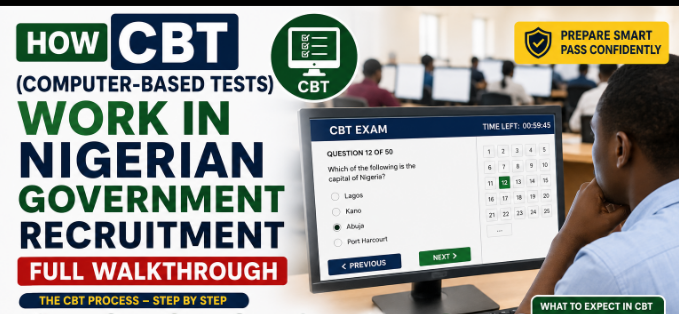
How CBT (Computer-Based Tests) Work in Nigerian: Computer-Based Tests, commonly abbreviated as CBT, have become the standard testing format for most Nigerian government and parastatal recruitment exercises, replacing the older paper-based exam format almost entirely. If you’ve never sat a CBT before, the format itself can feel intimidating even if you know the subject matter well, so understanding exactly how it works in advance removes a layer of unnecessary stress on the actual test day.
What a CBT Exam Centre Actually Looks Like
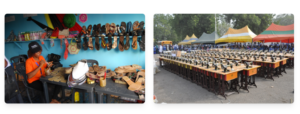
You’ll typically be assigned a specific computer terminal in a hall full of similar terminals, each running the test software in isolation, meaning you can’t see other candidates’ screens and they can’t see yours. A test supervisor or invigilator monitors the hall throughout, similar to a traditional exam setting, except the questions and answers are all handled digitally rather than on paper.
Step-by-Step: What Happens on Test Day
- Arrive early and go through the accreditation process, which usually involves verifying your identity against your printed exam slip and a valid means of identification, sometimes including a biometric check such as a fingerprint scan.
- You’ll be directed to your assigned terminal, where you’ll typically log in using a unique candidate ID and password provided on your exam slip, rather than a general shared login.
- Most CBT systems begin with a short tutorial screen explaining how to navigate the test interface, how to select an answer, move between questions, flag a question for review, and submit your final answers.
- The test itself runs on a visible countdown timer, usually displayed prominently on screen, so you always know exactly how much time remains.
- Once you’ve completed all questions, or once time expires, the system automatically submits your answers, and in many cases displays your score immediately on screen before you leave the hall.
Common CBT-Specific Challenges to Prepare For
- Reading comprehension passages on a screen rather than paper, which some candidates find more tiring on the eyes during longer exams, if possible, practice with timed online mock tests beforehand to build familiarity.
- Navigating between flagged questions and unanswered questions using the on-screen review panel, which works differently from simply flipping back pages in a paper exam.
- Technical issues such as a frozen screen or unexpected logout, if this happens, raise your hand and alert an invigilator immediately rather than trying to fix it yourself, since most systems log your progress and can be restored.
Practical Tips for CBT Exam Day
- Familiarize yourself with basic computer navigation beforehand if you’re not naturally comfortable with computers, since fumbling with mouse clicks under time pressure costs valuable minutes.
- Don’t spend too long on any single difficult question, use the flag-for-review feature to move on and return later, since CBT systems are specifically designed to support this approach.
- Bring your printed exam slip and a valid ID exactly as instructed, since accreditation desks are typically strict about this and won’t admit candidates without the correct documentation.